Meet Sparks: everything new in Gridwow
Build and edit canvases conversationally, generate imagery, work with workspace assets, recreate visual references, and keep every result editable.
7 min read
The latest Gridwow release adds a new artificial-intelligence layer directly inside Studio. We call it Sparks: an assistant that understands the open canvas, talks through an idea, and turns instructions into real, editable changes.
This is not a separate chat or a generator that returns a flat image. Sparks works with the Gridwow document itself: it can build a composition, change copy and styling, add imagery, adapt the layout, and leave every element ready for manual refinement.
Everything new in Sparks
- Private, persistent conversations for each canvas.
- Conversational creation and structured canvas editing.
- Original image generation promoted into workspace assets.
- Local attachments and existing workspace-image selection.
- Editable visual cloning from an explicit reference.
- Desktop compositions with an adapted mobile layout.
- Progress, cancellation, and retry controls for long-running jobs.
Images and visual references
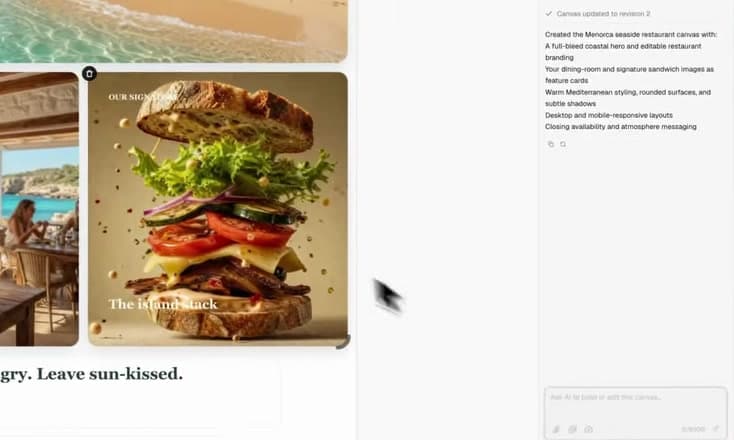
A request can combine newly uploaded images with assets already stored in the workspace. Sparks can also generate original supporting imagery and insert it as a normal asset. When explicitly asked to recreate a visual reference, it analyzes regions, geometry, crops, surfaces, typography, and text before building an editable 24-column desktop layout and an adapted mobile version.
A complete example
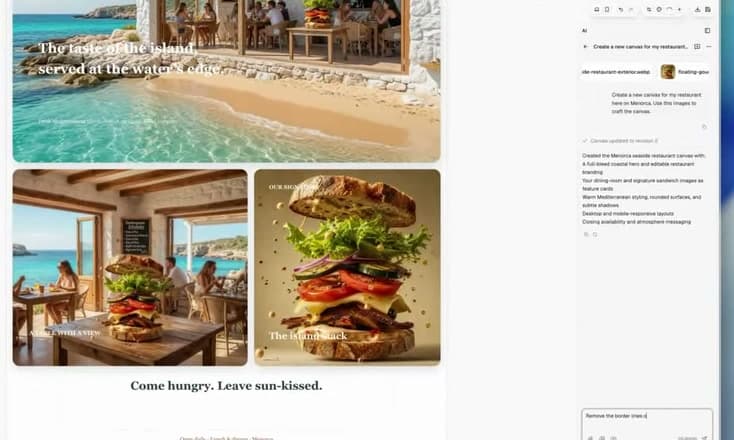
Create a new canvas for my restaurant in Menorca. Use these images to craft the canvas.
From that instruction, Sparks creates a full-bleed coastal hero, restaurant and product modules, editable brand copy, warm art direction, and responsive layouts. Follow-up requests can be precise: “remove the border lines,” “make the headline more direct,” or “give the product more emphasis.”
Control, privacy, and credits
Sparks mutations target a specific canvas revision, and longer jobs use an editing lease to prevent competing processes from overwriting the same document. Before the first request, Gridwow explains that saved canvas context, prompts, and selected images are processed through the OpenAI API. Conversations and generated images remain private; inserted images become normal workspace assets.
Sparks is included with MAX and uses monthly Sparks credits. The panel shows the remaining balance and the next reset date.
How to start
- Open a private canvas in Gridwow Studio.
- Open the Sparks panel.
- Describe what to create or change, optionally adding local or workspace images.
- Review the result on the canvas and continue with another instruction or the editor controls.